How to Turn English Short Stories into AI Videos for Learning and Teaching
Have you ever finished a short story with your students, asked, “So, what happened?”, and suddenly the room became very interested in the ceiling?
I have.
A student may understand almost every sentence on the page but still struggle to explain the story in English. That’s because understanding English and producing English are two different skills.
This is where short stories and AI can make a surprisingly good team.
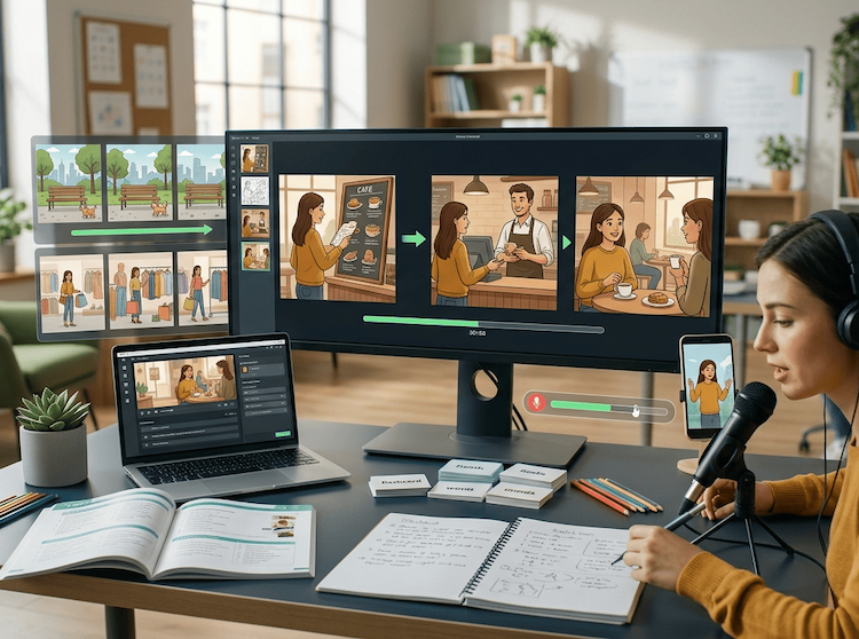
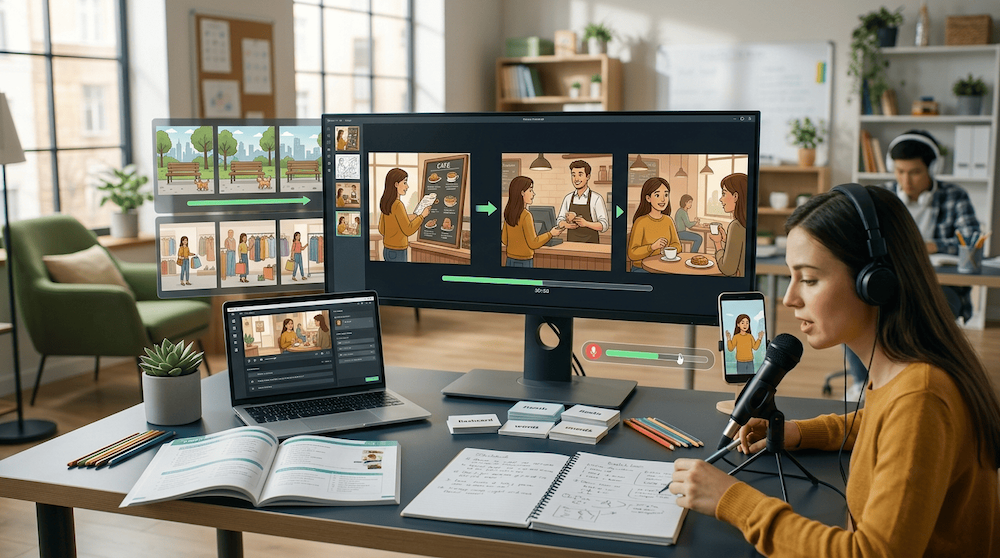
Take a simple English story, break it into a few scenes, turn those scenes into images or short video clips, and suddenly you have much more than a reading exercise. You have something students can describe, predict, question and retell.
And you don’t need expensive software or video-editing experience. Many of the tools we’ll use have free versions or free usage limits, so you can experiment before paying for anything.
The goal isn’t to make the next Pixar movie.
The goal is to get people using English.
In this guide, I’ll show you how to turn a short English story into a simple AI-assisted learning activity, both for the classroom and for studying English at home.
Why Combine Short Stories with AI?
Stories already do something very important for language learners: they give words a home.
Consider the word worried.
You can learn:
worried = unhappy because you are thinking about problems
Fine. You know the definition.
But now imagine a story about a girl who finds a lost dog in a park. She looks around, checks the dog’s collar and becomes worried because she can’t find its owner.
Now worried has a character, a situation and a reason.
Add a visual scene showing that moment and you have something a learner can immediately talk about:
“The girl looks worried.”
“She is worried because the dog is lost.”
“Maybe she will call someone for help.”
That’s the difference between knowing a word and beginning to use it.
AI tools can help us create those situations quickly. They can turn a written story into pictures, narration or short video scenes.
But there’s one rule I would keep in mind:
AI should create opportunities to practise English, not practise English for the learner.
Free AI Tools You Can Use
You don’t need five subscriptions to try this.
For a basic story activity, you need something that can help with the text, something that can create visuals and, optionally, something that can put those visuals into a simple video.
Here are a few beginner-friendly options.
For working with the story
Google Gemini can help you simplify a story, identify useful vocabulary, divide the story into scenes, create comprehension questions or turn the story into a classroom activity.
Try asking:
I’m teaching A2 English learners. Divide this short story into five important scenes. Keep the language simple and give me a short visual description for each scene.
You can access it at Google Gemini.
Microsoft Copilot is another option for working with text and creating visual ideas. Microsoft also provides a free version of Copilot, although availability and limits for individual AI features can change.
Try Microsoft Copilot.
For creating story images
You don’t necessarily need video.
In fact, for my first attempt with a class, I’d probably start with images.
You can use Microsoft Copilot to generate an image from a description. For example:
Create a simple storybook illustration for an English lesson. A teenage girl with a yellow backpack is walking through a quiet park and notices a small lost dog beside a tree.
Copilot supports creating images directly from text prompts.
Another easy option is Canva. Canva offers a free plan and some AI features can be tried within its free usage allowance.
For putting the scenes together
Once you have four or five images, you don’t necessarily need an AI video generator.
A simple slideshow can do the job perfectly well.
Canva lets you arrange your images on a timeline, add text, narration or music and turn them into a video. It also offers a free image-to-video workflow.
You can also try Adobe Express. Its free plan includes basic image/video editing tools and limited generative AI features.
Don’t get too caught up in which tool is “best.”
For this activity, simple is often better.
Five clear images and your own voice can make a better English lesson than an impressive AI-generated movie.
Step 1: Choose the Right English Short Story
Start small.
For beginners, I prefer stories with:
- one or two main characters
- a clear setting
- an obvious sequence of events
- familiar everyday vocabulary
- one simple problem or surprise
- a clear ending
A story about someone missing the bus can be more useful than an elaborate fantasy adventure.
Why?
Because students can reuse the language:
miss the bus, arrive late, wait for, hurry, call someone, get to work
For intermediate learners, you can choose stories with more dialogue, emotions, decisions and unexpected events.
Step 2: Ask AI to Turn the Story into Scenes
Now copy your story into an AI assistant such as Google Gemini or Microsoft Copilot.
Don’t simply say:
Make a video from this.
Give it a teaching goal.
For example:
I want to use this short story with A2 English learners. Divide it into five important visual scenes. For each scene, describe the setting, characters and main action. Keep the same characters throughout the story. Do not add events that are not in the original text.
Let’s say our story is about Anna finding a lost dog.
We might get:
Scene 1: Anna is walking through a park after school.
Scene 2: She notices a small dog sitting alone near a tree.
Scene 3: Anna checks the dog’s collar.
Scene 4: She asks people in the park if they recognise the dog.
Scene 5: A family arrives and finds their missing dog.
That’s enough.
Don’t create twenty scenes.
You’ll end up spending more time making the video than teaching English with it.
Step 3: Generate an Image for Each Scene
Now take each description and create a visual.
You can use an AI image generator available through tools such as Microsoft Copilot or Canva.
Here’s the trick: describe the character consistently.
Instead of:
Make an image of Anna in a park.
try:
Children’s storybook illustration. Anna is a 16-year-old girl with dark curly hair, a yellow backpack and a blue jacket. She is walking through a quiet green park after school. Simple composition suitable for an English lesson.
For Scene 2, keep the same description:
Children’s storybook illustration. The same 16-year-old girl with dark curly hair, yellow backpack and blue jacket notices a small brown dog sitting alone beside a tree in the same park.
The images don’t have to be perfect.
If the character’s shoes mysteriously change colour between scenes, your English lesson will survive.
Step 4: Turn the Images into a Simple Video
Put your four to six images into Canva, Adobe Express or another basic video editor.
Each scene only needs to stay on screen for a few seconds.
You can then add:
- simple transitions
- subtitles
- your own narration
- AI-generated narration
- vocabulary on screen
For self-study, I’d recommend recording your own voice when possible.
Yes, AI can read the story beautifully.
But if your goal is to improve your English pronunciation, your voice needs some exercise too.
Step 5: Don’t Show Students the Whole Video Yet
This is where teachers can have some fun.
Show Scene 1.
Stop.
Ask:
What can you see?
For beginners:
Where is she?
What is she doing?
What is she carrying?
Then:
Where do you think she is going?
What do you think will happen next?
Now show Scene 2.
There’s the dog.
Stop again.
Why is the dog alone?
How does Anna feel?
What should she do?
A ten-second scene can easily create several minutes of genuine English conversation.
Watch → Pause → Predict → Speak
This is the little routine I’d remember.
WATCH
Show one scene.
PAUSE
Don’t immediately show what happens next.
PREDICT
Ask students what they think will happen.
SPEAK
Make them explain their prediction.
Then continue the video.
This works because students aren’t simply answering comprehension questions after they already know everything.
There’s a little mystery involved.
And curiosity can do half the teacher’s job for you.
Turn Story Vocabulary into Speaking Vocabulary
Suppose the story contains:
worried
suddenly
recognise
look for
relieved
Don’t finish the lesson after explaining what these words mean.
Ask:
What was the last thing you looked for?
When did you last feel relieved?
Have you ever suddenly remembered something important?
Have you ever recognised someone in an unexpected place?
Now the vocabulary has escaped from the story.
That’s exactly what we want.
Let AI Create Questions — But Let the Learner Answer Them
Here’s another useful way to use a free AI assistant.
Paste the story into Google Gemini, Microsoft Copilot or another conversational AI tool and say:
I’m an A2 English learner. Ask me six questions about this story one at a time. Wait for my answer before asking the next question. Don’t give me the answer. Correct only important English mistakes.
That’s much better than:
Answer these questions for me.
The second prompt makes AI the student.
We don’t want that.
We want AI to behave more like a patient practice partner.
Another useful prompt is:
Choose five useful expressions from this story. Ask me personal questions that make me use these expressions in my answers. Ask one question at a time.
Now the learner has to produce English.
A Simple 20-Minute Classroom Activity
You can turn the whole method into a short lesson.
Minutes 1–3 — First Scene
Show the opening scene without telling students the story.
Ask them to describe it.
Minutes 4–7 — Predict
Show the next scene.
Students discuss what they think is happening.
Minutes 8–12 — Watch
Continue scene by scene.
Introduce a few useful expressions.
Minutes 13–16 — Retell
Put students into pairs.
Student A tells the first half of the story.
Student B continues it.
Minutes 17–20 — Change the Ending
Ask:
What would happen if the family never arrived?
Now they have to create.
That’s twenty minutes of speaking, vocabulary, listening, grammar and storytelling from one small story.
Not bad for a lost dog.
Let Students Make the Video
Once students understand the activity, turn the tables.
Give groups a short story.
Their job is to:
- read it
- choose four or five important scenes
- write the visual descriptions in English
- create the images
- put the scenes in order
- present their version to the class
They can use a free AI assistant to help, but there’s one condition:
They need to make the decisions.
Which scene matters?
What should the character look like?
Which vocabulary should appear?
What should happen on screen?
These decisions require students to understand the story before they can represent it.
How to Do This at Home
You don’t need a teacher.
Choose a short story at your level.
Create four or five visual scenes from it.
Then:
First watch: Understand the story.
Second watch: Pause and describe every scene aloud.
Third watch: Predict what happens next.
Fourth watch: Remove the subtitles and retell the story.
Final round: Close everything and record yourself telling the story from memory.
If you get stuck, don’t immediately ask AI to finish your sentence.
Give yourself a few seconds.
That uncomfortable moment when your brain is searching for the English word?
That’s part of the exercise.
A Five-Day AI Story Challenge
Instead of reading five stories and forgetting them, spend five days squeezing as much English as possible out of one.
Day 1 — Read
Understand the story and choose five useful expressions.
Day 2 — Create
Use an AI tool to turn the important moments into images.
Day 3 — Speak
Describe every scene without reading the story.
Day 4 — Retell
Record yourself telling the whole story.
Day 5 — Change It
Create a new ending, location or character and tell your version.
One small story has now given you reading, vocabulary, pronunciation, speaking and creative-writing practice.
Don’t Let the Tools Take Over
There are dozens of AI tools that can generate images, voices and videos.
You don’t need to try all of them.
Google Gemini or Microsoft Copilot can help you work with the story.
Canva or Adobe Express can help you arrange your scenes and create a simple video.
That’s already enough to try the activity.
And remember that free plans and AI usage limits change, so always check the current limits before building an entire lesson around one tool.
More importantly, don’t spend an hour generating the perfect video for a fifteen-minute English activity.
If students spend the lesson silently admiring your beautiful AI animation, something has gone wrong.
If they’re predicting, describing, disagreeing, laughing, forgetting words, finding them again and telling the story in their own English?
Now we’re getting somewhere.
AI Is the Tool, Not the Teacher
AI can create an image in seconds.
It can simplify a story.
It can read a sentence aloud.
It can suggest questions.
But it can’t do the important part for the learner.
The learner still has to find the word.
Build the sentence.
Make the mistake.
Try again.
Explain the idea.
That’s where the learning happens.
So don’t measure this activity by how realistic the video looks.
Ask:
Did it make the learner use more English?
If the answer is yes, the tool did its job.
Final Thoughts
Short English stories have always been useful because they put language into context.
AI gives us new ways to play with them.
A paragraph can become a picture.
A picture can become a speaking prompt.
Five pictures can become a short video.
And that video can become a prediction game, vocabulary activity, pronunciation exercise or storytelling challenge.
You don’t need expensive equipment to start.
Pick a short English story.
Open a free AI tool.
Create four or five scenes.
Then stop looking at the original story.
Look at the scenes instead.
And tell me what happened.
In English, of course.
Frequently Asked Questions
What free AI tools can I use with English short stories?
Google Gemini and Microsoft Copilot can help with story planning, questions and scene descriptions. Microsoft Copilot can also generate images. Canva and Adobe Express offer free plans that can be useful for creating and arranging visuals, although some AI features have usage limits.
Can I create an English story video for free?
Yes. One simple approach is to create several images and combine them into a slideshow-style video using a free editor such as Canva. You don’t necessarily need full AI text-to-video generation.
Do I need an AI video generator?
No. Four or five images can be enough for description, prediction and retelling activities. For many English lessons, simple visuals actually work better.
Can beginners use AI story activities?
Yes. Start with very short stories and simple questions such as “Where is he?”, “What is she doing?” and “What happens next?” More advanced learners can explain motivations, predict outcomes and create alternative endings.
Can teachers use AI-generated videos in class?
Yes, but the video should support an activity rather than replace one. Pause frequently and ask learners to describe, predict, discuss and retell.
Should students use AI to write their answers?
For speaking practice, it’s usually better to use AI to ask questions, create situations or give limited feedback. The learner should produce the actual English.
How long should an AI story video be?
Short is usually better. Four to six clear scenes are often enough for a classroom or self-study speaking activity.