Drhumanizer Level Control Saves Learner Voice From Synonym Storms
Why Synonym Storms Hurt Learner English First
English learners often treat detector scores like exam marks. The panic response is familiar: open a thesaurus, swap every “important,” break long sentences into stiff short ones, and hope the percentage drops. The draft may look busier, yet it no longer sounds like the learner who wrote it. A better question is whether a careful structural pass can keep meaning while loosening mechanical rhythm — which is why desks keep testing an Ai humanizer as an editing aid rather than as a ghostwriter.
For learners, the useful claim is not “guaranteed undetectable.” It is “can I keep my ideas while the cadence stops marching.” Dr. Humanizer frames itself as deep rewriting of structure, tone, and flow, trained on a large pile of human-written text, with a Humanize Level slider and three rewrites to compare. Free trial uses appear on the homepage, registration advertises an 800-word credit, and the product says it supports 50+ languages.
Learners already fight limited vocabulary and borrowed templates from class models. When they synonym-storm under detector pressure, they often replace simple accurate words with rare near-misses. Teachers then mark collocation errors that did not exist in the first draft. The detector percentage may move; the learning signal gets worse.
Rhythm is the other casualty. Many AI drafts share even sentence length and polite transitions. Learners copy that flatness, then try to hide it with random cuts. The result is choppy rather than human. Human writing for language learners usually needs controlled variety, not chaos.
| Habit under pressure | Short-term feeling | Learning cost |
| Swap every common word | Looks “advanced” | Collocation errors and fake sophistication |
| Chop every sentence in half | Looks less patterned | Lost cohesion and argument flow |
| Paste once, accept first output | Fast relief | Misses better sentence mixes across versions |
If the goal is language growth, the editor should protect the learner’s meaning and progressively improve clarity. If the goal is only a badge, almost any aggressive rewrite can look like progress for a day. One student draft gained fancy idioms the speaker could not defend in conversation; we restored the simpler originals before the oral check.
Collocation Errors Arrive Before Detector Wins
Synonym storms often invent phrases a learner never practiced. The teacher marks “make a decision” swapped into something that sounds advanced and wrong. That rework costs a tutoring hour that should have gone to argument structure. Protect simple accurate words first; loosen rhythm second.
What The Workspace Actually Asks You To Do
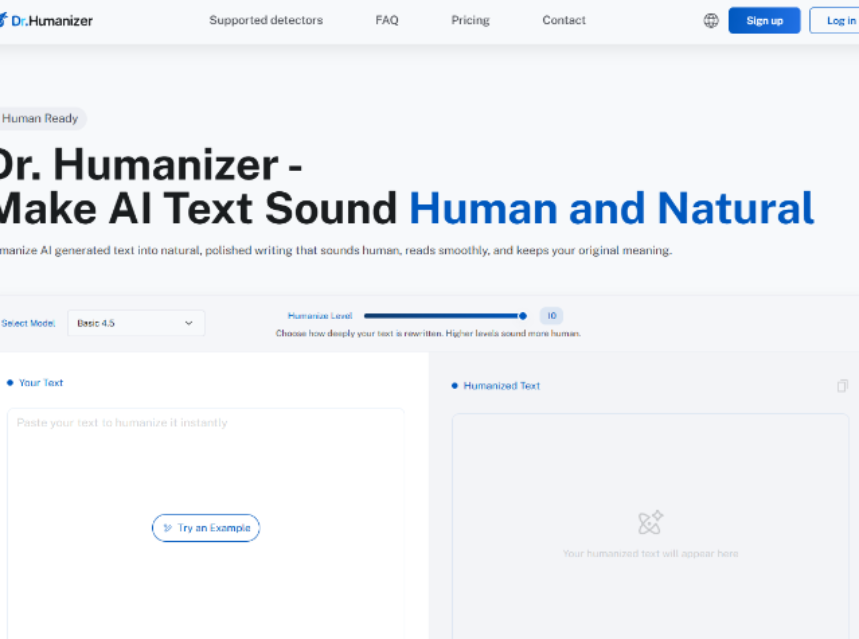
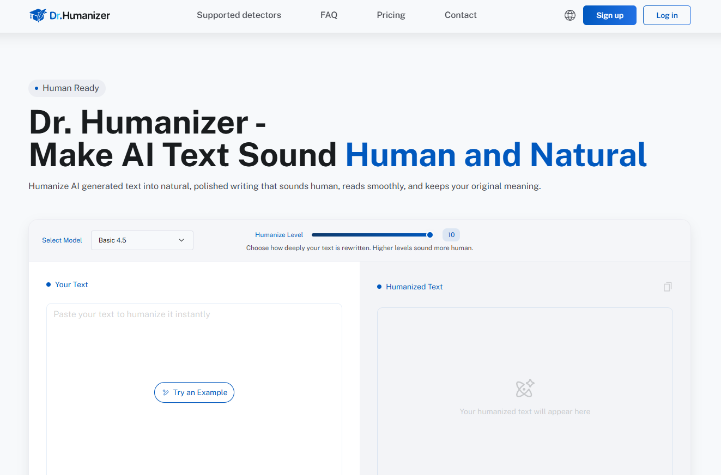
The homepage loop is plain. Paste into Your Text. Choose how deep the rewrite should go with Humanize Level from 1 to 10 — higher levels are described as sounding more human. Optionally use Select Model. Click Humanize Now. Read three rewrites. Keep one, combine sentences, or run another refinement. The page shows a free-use counter and invites registration for an 800-word credit. Minimum length is about 50 words; for steadier flow, aim nearer 200 words or more in a single request when your assignment allows.
That three-version screen matters for learners more than marketers admit. One version may keep classroom vocabulary. Another may smooth transitions. A third may open sentences with more variety. Mixing sentences is a literacy skill: compare, choose, justify. It is closer to workshop editing than to “make the AI disappear.”
Teachers can turn the same screen into a mini lesson. Ask students to label which version kept their example intact, which version improved cohesion, and which version introduced a phrase they cannot define. The labels create metacognition. The tool becomes a mirror for revision choices instead of a vending machine for “human” prose.
Start Mid Level Then Read For Your Own Voice
Jumping straight to Level 10 can over-polish a B1 or B2 draft into a voice the student cannot defend orally. In my testing with learner-like prompts, a mid setting changed cadence enough to reduce march-step rhythm while leaving more of the original word stock intact. After you keep a version, read it aloud. If you cannot explain a new phrase, put the simpler original back. The tool should not become a second language you do not speak.
- Write your own draft first, even if it is imperfect.
- Paste a full paragraph block, not isolated sentences.
- Set a mid Humanize Level and generate three rewrites.
- Keep only sentences you can explain; restore hedges and examples you still need.
Languages And Free Credits Are For Trials Not Shortcuts
Support for 50+ languages is relevant when a learner drafts in English but thinks in another language, or when a teacher reviews multilingual classrooms. It is not a reason to skip composing. Use the free trial uses or the published registration credit to learn the control surface. If volume grows, paid monthly plans exist with different word budgets and per-input caps; learners usually need the workflow more than the largest Max allotment.
Where An Ai Humanizer Fits Beside Class Rules
Responsible-use language on the site pushes the same boundary a good teacher would: the product is framed as refining expression, not inventing your ideas for you. That framing is the only one that belongs in a language classroom. Students who never produced a draft cannot “humanize” integrity back into existence. Students who did produce a draft can use structural editing the way they use grammar checkers — as a second pass with human judgment still in charge.
Detector marketing on pricing pages will always sound louder than pedagogy. Treat those banners as vendor claims to verify, not as learning outcomes. What you can verify quickly is whether the kept text still matches the student’s outline, examples, and oral explanation. That check takes five minutes and beats arguing with a percentage.
Require Outline Speech And A Change Log
- Require an outline before any rewrite tool is opened.
- Require a spoken summary after the keep step.
- Require a short change log: which sentences came from which version.
Inside that protocol, drhumanizer style structural rewriting is easier to defend than synonym storms, because the student still owns the ideas and can see three explicit options instead of a hidden black box of random swaps. When a Level 10 pass invented idioms a student could not explain at dinner, I discarded that keep and rolled back to the mid-Level mix.
Parents sometimes ask for a simpler home rule. Write first by hand or in a plain document. Only then open the rewrite workspace. Keep a copy of the original beside the three outputs. If the kept draft invents facts or fancy idioms the learner cannot explain, roll back. That household rule mirrors the classroom change log without needing new software.
Where This Editing Aid Still Needs A Teacher
Dr. Humanizer will not decide school policy, and it will not guarantee any detector outcome for every assignment. It also will not stop a student who pastes a prompt with no personal draft. Those limits are the point: the tool is a rewrite station with Level control and three outputs, not a license. Keep it on desks that already require original notes, meaning checks, and oral defense.
When This Editing Aid Fits Language Learners
Choose this path if you are protecting learner voice while loosening mechanical cadence, and if you will compare three rewrites instead of accepting the first polish. Skip it if the assignment bans editing aids, or if there is no original draft to refine. Start with the free trial rhythm, keep Level modest, and let Dr. Humanizer change structure only where the student can still explain the sentence. Better English is still the student’s job. The tool is only a careful second pass.